A client messages you on WhatsApp on a Tuesday. You reply from your phone, promise to call them Thursday, and Thursday slips by. By Friday they've hired someone else. You didn't lose that client on price or quality. You lost them to disorganization.
That's exactly what a CRM fixes. And you don't need to be a big company or a tech person to use one.
What a CRM is, in plain English
CRM stands for Customer Relationship Management, which means managing your relationship with your clients. Put simply: it's an organized notebook that lives online where you write down every person who shows interest in your business, what you talked about, when you'll call them back, what they bought and how much they owe you.
The difference from a paper notebook is that a CRM reminds you, keeps you organized and shows you the numbers. A notebook won't tell you it's been a week since you called a lead. A CRM will.
Signs you already need one
Not every business needs a CRM on day one. But if you see yourself in two or more of these situations, the time has come:
- Your leads are scattered across WhatsApp, Instagram, Facebook and a spreadsheet.
- You've forgotten to call someone who was ready to buy.
- You don't know exactly how much you'll collect this month or who's behind on payments.
- When an employee leaves, your client information leaves with them on their phone.
- To remember what you discussed with a client, you have to dig through months-old chats.
- You spend your evenings putting together invoices by hand.
If your business runs on services, appointments or monthly payments, every one of those leaks costs you money every single month.
If your business runs on services, appointments or monthly payments, every one of those leaks costs you money every single month.
The path a CRM puts in order
Think of a client's journey as a road with stops. A good CRM is with you at every one:
- The contact comes in: someone fills out a form on your ad or your website, or sends you a message.
- Follow-up: you call them, message them and note what they said.
- Appointment: you book a meeting, a visit or a closing call.
- Contract: the lead says yes and becomes a client.
- Payment: you record the payment and send them their invoice.
- Renewal: the system reminds you when it's time to bill again.
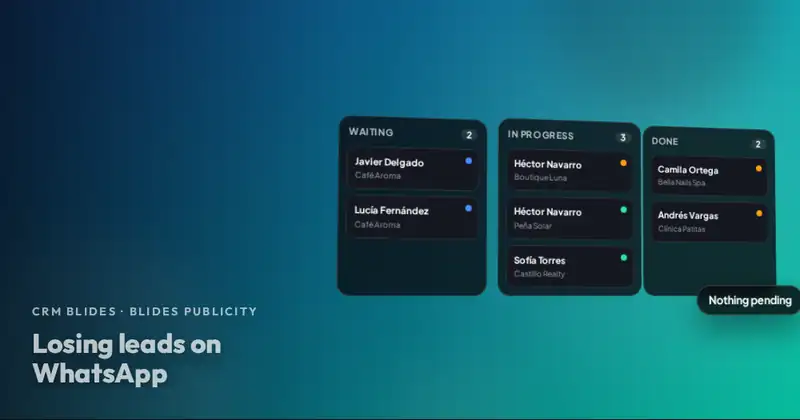
In CRM Blides, that path is built exactly like this. Leads land in lists by stage (New, Interested, Pending, Will Pay, Signed, among others), a follow-up board tells you who you haven't called in 7 days, the calendar keeps your appointments and, when you close, a "Move to Client" button turns them into a client record, with invoices and a renewal date.
What you gain day to day
| Without a CRM | With a CRM |
|---|---|
| You search the chat to remember what you discussed | You open the record and see every note |
| You forget calls | An alarm reminds you, and repeats if you miss it |
| You make invoices in Word | You generate a PDF invoice with your logo |
| You don't know how much is coming in this month | You see collected, expected and overdue on one screen |
| Every employee has their own version | The whole team works from the same information |
That turns into real results: you save time, you get paid more reliably, you sell more because leads don't slip away, your team stays aligned and you make decisions based on data, not gut feelings.
"But I'm not a tech person"
It's the most common concern, and it's a fair one. That's why a CRM for a small business has to do three things:
- Work in your web browser, with nothing to install. CRM Blides works on computers, tablets and phones, with light and dark mode, and it has a global search so you can find any client by typing their name or phone number.
- Speak your language. Lists and sections come in English and Spanish, and you can rename them to match what you call them in your business.
- Belong to you. The system is installed on your own business's hosting and the data is yours; you can export it whenever you want. It's the same idea we stand for with websites in your website should be yours.
If you're working with notebooks or Excel today and want to see the difference point by point, read CRM vs. spreadsheets and notebooks.
Which businesses get the most out of it
CRM Blides is designed for service businesses: marketing agencies, clinics and medical offices, beauty salons and spas, repair shops, real estate agencies, restaurants and coffee shops, gyms, professional firms and any business that bills monthly. If you want examples of how each one would use it, you'll find them in CRM for salons, clinics, repair shops and restaurants.
Want to see CRM Blides working with your business?
Clients, leads, appointments, payments, finances and your team in one system. We show it to you live and prepare a quote.
Your next step
You don't have to decide today. Try a simple test: count how many leads messaged you last month and how many got complete follow-up. If the gap makes you uncomfortable, send us a WhatsApp message and we'll give you a CRM demo with examples from your type of business.
Frequently asked questions
How much does CRM Blides cost?
We quote based on your business and the modules you need. Send us a WhatsApp message and we'll give you a demo along with a quote.
Do I need to install anything on my computer?
No. It's 100% web-based: you log in from the browser on your computer, tablet or phone. It's installed just once on your business's hosting.
Does my data end up in another company's hands?
No. The CRM is installed on your own hosting, the data belongs to your business and you can export it whenever you want.