Almost every business starts the same way: a notebook next to the register or a spreadsheet with names, phone numbers and amounts. It works. Until one day it doesn't, and you almost never notice the exact day it stopped working.
This article isn't here to convince you to throw out your Excel file. It's here so you know what it does well, where it falls short and when it's costing you money.
What notebooks and Excel do well
Let's be fair. Simple tools have real advantages:
- They're familiar. There's nothing to learn.
- They're cheap or free.
- They're flexible. Add a column and you're done.
- They work perfectly well when you have few clients and work alone.
If you have ten clients, no team and always bill on the same day, a well-built spreadsheet may be enough for a while.
Where they start to break down
The problem shows up when the business grows a little. These are the most common cracks:
- They don't alert you. The spreadsheet won't tell you it's been 7 days since you called a lead or that an invoice came due yesterday.
- They multiply. Everyone on the team has their own copy and nobody knows which one is right.
- They don't keep history. A cell says "interested," but not what you discussed, when or who talked to them.
- They break. One badly dragged formula and the monthly total is wrong without anyone noticing.
- All or nothing. Either you give someone full access, salaries and passwords included, or you give them nothing.
- They're useless on the go. Opening a big spreadsheet on your phone to look up a number is a nightmare.
If two or more of these sound familiar, the spreadsheet is already costing you more than it saves you.
Side-by-side comparison
| Notebook | Spreadsheet | CRM Blides | |
|---|---|---|---|
| Alerts and alarms | No | No | Yes, they repeat and reach Telegram |
| History per client | Whatever fits on the page | One cell | Notes with date, author and photos |
| Teamwork | Impossible | Copies and versions | Everyone on the same information |
| Permissions per person | No | Limited | By role and by action in each module |
| Invoices | By hand | Separate template | PDF with your logo, from the record |
| Leads from ads | Copy by hand | Copy or import | They come in automatically, no duplicates |
| From your phone | If you carry it around | Clunky | Web-based, on phone, tablet and computer |
| Your data | On paper | In your file | On your hosting, exportable |
Signs it's time to switch
There's no magic number of clients. Look for these signs instead:
- A lead slipped away because nobody called them in time, and it wasn't the first time.
- A payment ran months late without you noticing.
- You hired someone and don't know how to give them access without showing them everything.
- You spend more than an hour a week copying data from one place to another.
- Your ads bring in forms and someone types them into the spreadsheet by hand.
If two or more of these sound familiar, the spreadsheet is already costing you more than it saves you. If you want to start from the basics, read what a CRM is and why a small business needs one.
What you gain when you switch
What you gain isn't "technology." It's concrete, everyday results:
- Time: you stop copying, searching and redoing.
- Sales: the follow-up board tells you who to call today.
- Collections: every invoice has a status and the next one is created automatically when the client pays.
- An organized team: everyone sees what they need, nothing more. We explain it in role-based permissions for your team.
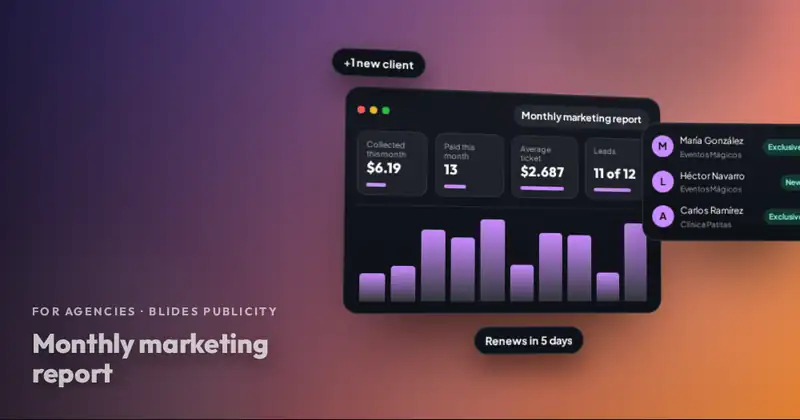
- Data to make decisions: monthly income vs. expenses in a chart, no formulas.
How to switch without the headache
The most common fear is losing what you already have. It doesn't have to happen:
- Clean up your current spreadsheet: remove duplicates and clients who are no longer active.
- Start with active clients and their billing dates.
- Then move over open leads, each one in its stage.
- Keep the old spreadsheet as a backup for a few weeks, for reference only.
- From day one, everything new goes into the CRM. If both tools run side by side for too long, the mess comes back.
And one point that matters: CRM Blides is installed on your own business's hosting and your data can be exported. If you ever want to take it somewhere else, it's yours.
Want to see CRM Blides working with your business?
Clients, leads, appointments, payments, finances and your team in one system. We show it to you live and prepare a quote.
Your next step
Open your spreadsheet or notebook and pick a client at random. Try to answer in one minute: what you last talked about with them, how much they owe you and when they renew. If you can't, send us a WhatsApp message and we'll show you that same record inside CRM Blides.
Frequently asked questions
Can I move my clients from Excel into the CRM?
Yes. We recommend cleaning up the spreadsheet first and starting with active clients and their billing dates. We'll walk you through it in the demo based on how your data is set up.
What if I want to go back to a spreadsheet later?
CRM lists can be exported. The system lives on your hosting and the data belongs to your business.
Is the CRM hard to learn?
It works in your browser, in English and Spanish, with a global search and sections you can rename with the words your business uses.